
Talk Directly to Your Data. Get Insights You Can Act On.
Ask your delivery data anything, in plain language. Get the answer in seconds, then the follow-up, then the visualizations you can share with the team.
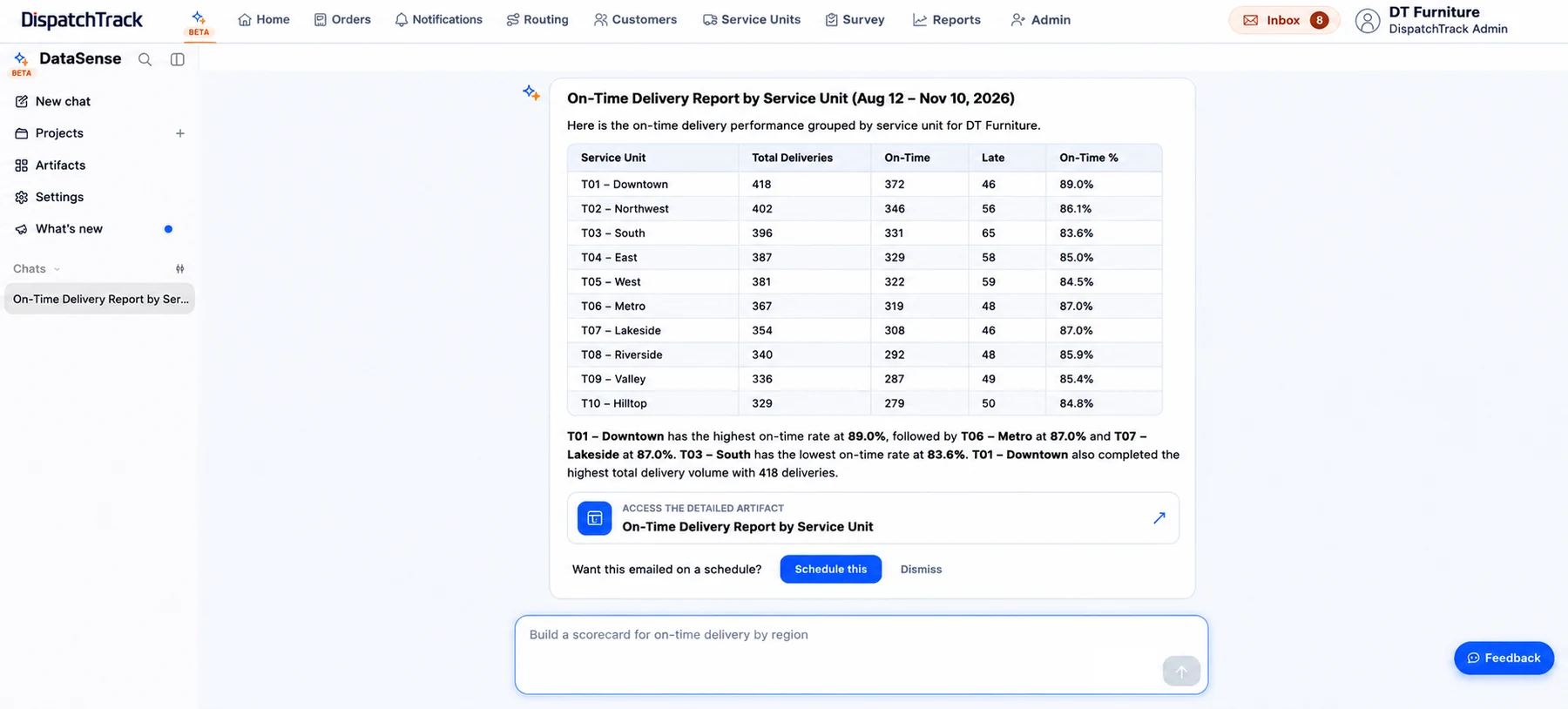
Ask Your Data for What You Need
Answers from your own delivery data in seconds.
- Organization-level questions“Compare our distribution centers on on-time delivery this quarter.”
- Questions that cut across reports“How is customer satisfaction trending on orders with sectionals?”
- No query languageNo SQL, no pivot tables, no support tickets or BI tools.
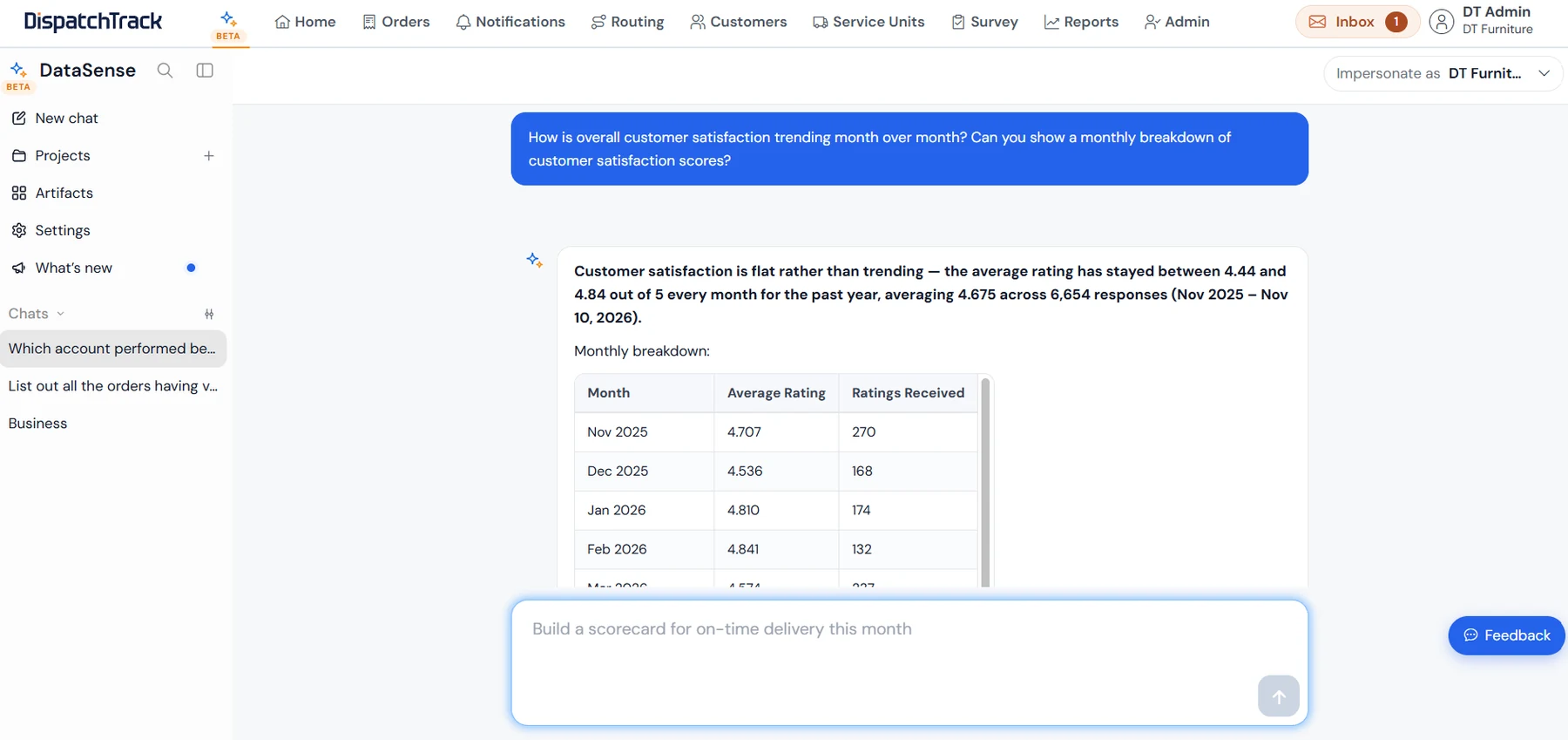
Follow-ups, Charts, and Artifacts
Every answer leads to a better question and deeper context—so you can make faster, better decisions.
- We remember your context“Now just the Northeast” picks up where the last answer left off.
- From what, to why, to action.See that Dallas slipped, then ask what drove it.
- Data into decisionsNarrow it, compare it, change the time frame—until you’ve got a clear path forward.
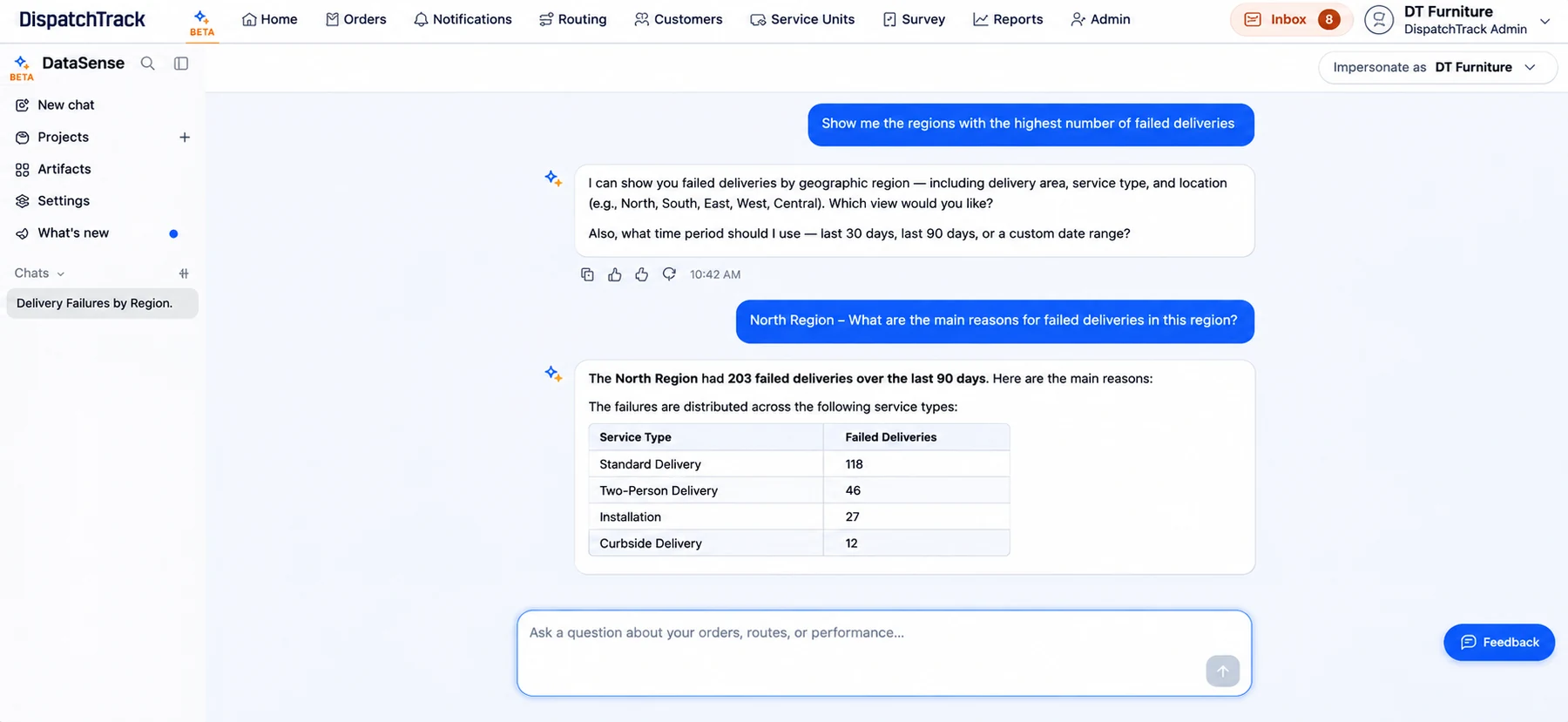
Start From Any Report
Every DispatchTrack report now has DataSense built in.
- Ask about what you’re looking atEvery report has a DataSense section, so you can ask further questions about the data it’s reporting on.
- Don’t be limited by the reportGo past what the report was built to show.
- Your whole operation in one placeDeliveries, warehouse, billing, and settlements, with up to a year of history.
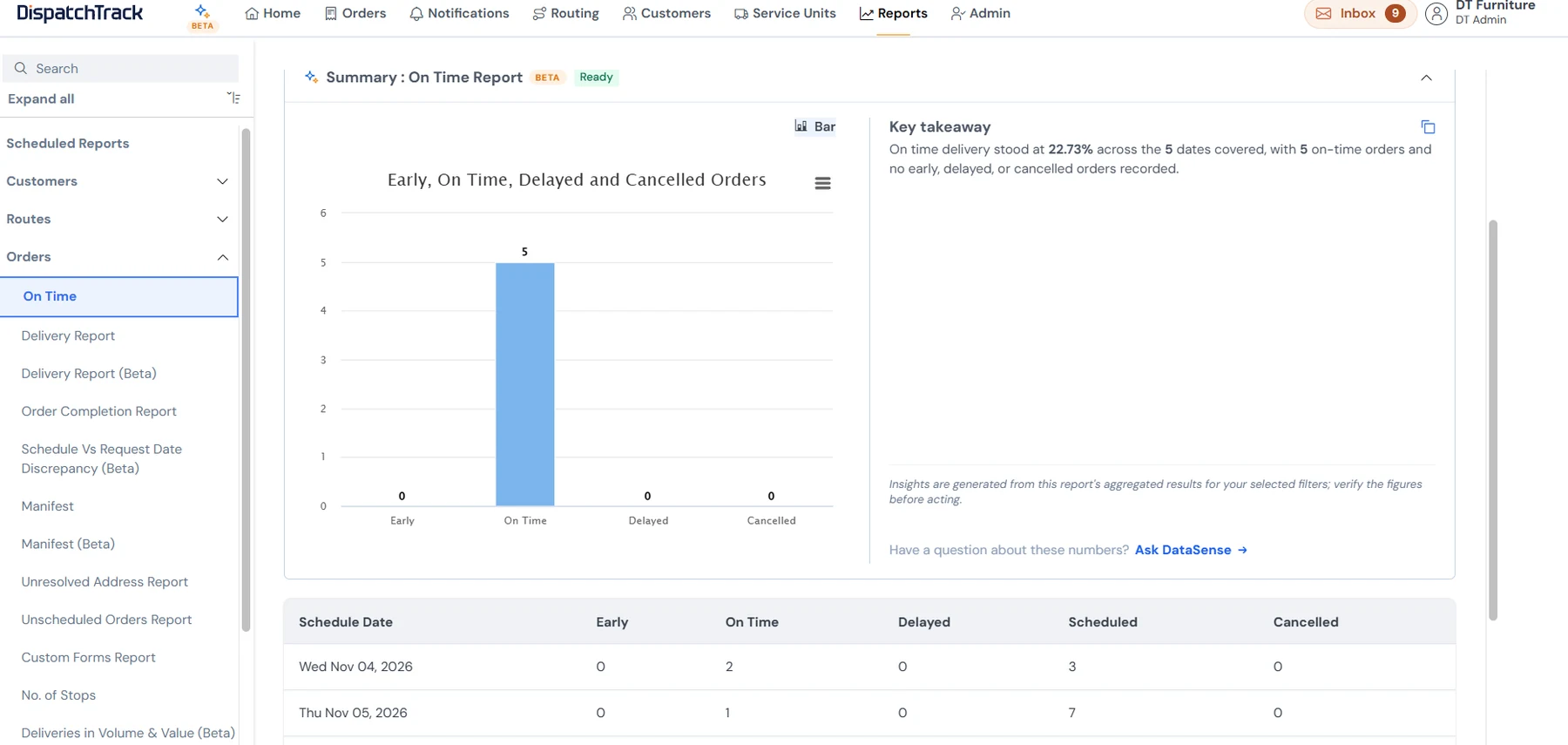
Turn the Answer Into Action
Ask for a table, a chart, or any visual. Export it as a PDF for your team.
- Make it a chart“Show that as a chart by region,” and it’s done in seconds.
- Export it as a PDFSend the chart or table to anyone, or drop it into the deck for the board meeting.
- Act with clarityAsk for the data as a table and check every figure yourself. When you’re satisfied, you can operationalize changes.
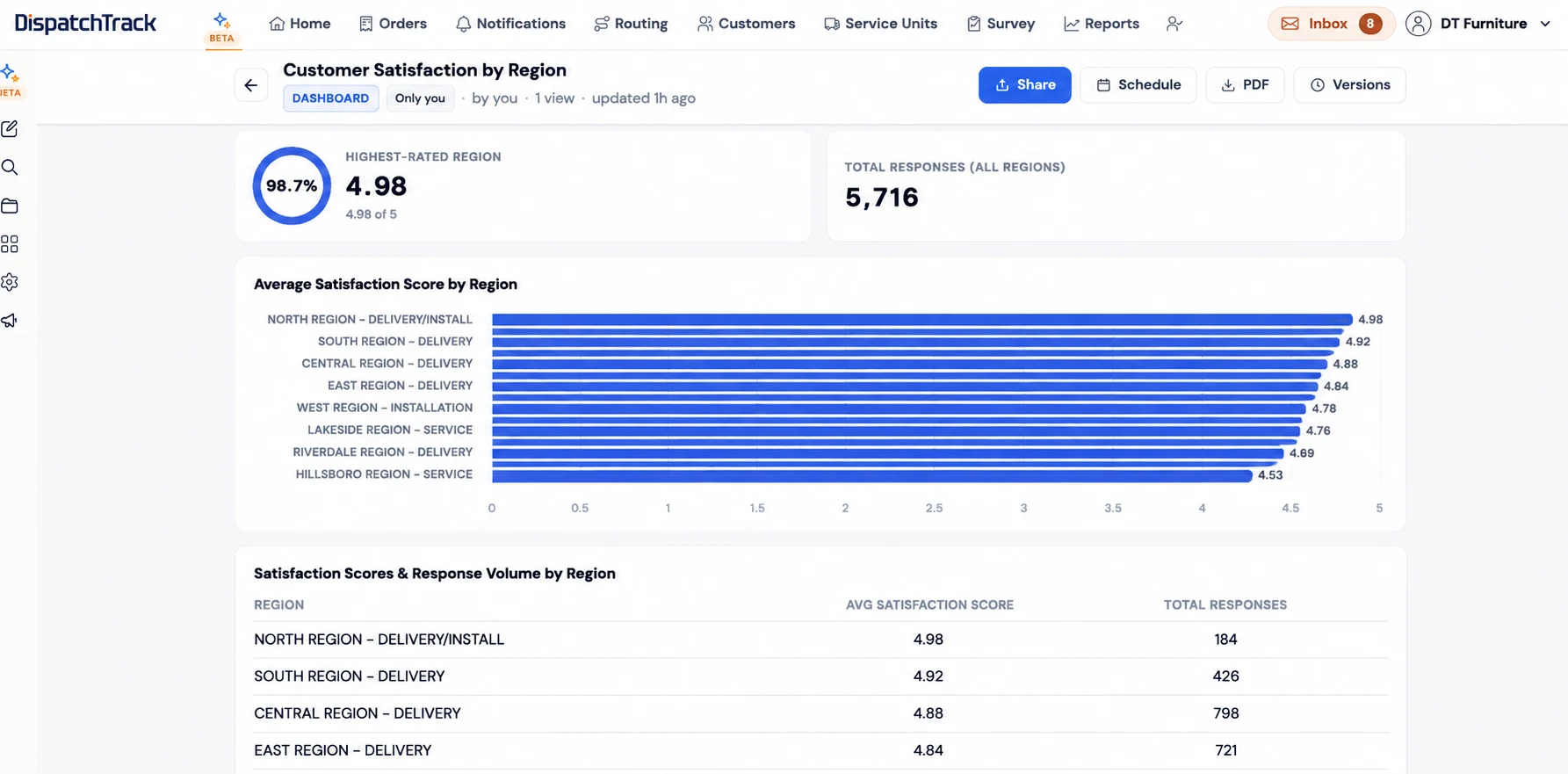
The questions executives ask cut across every dashboard. Answering one used to take an analyst days.
More from our researchBuilt for every kind of delivery
Ask which products, stores, or regions are leading on customer satisfaction.
See how3PL & final-mile carriersCompare performance across clients, warehouses, and regions before the quarterly review.
See howB2B distributionCompare distribution centers on cost and on-time delivery, side by side.
See howBuilding suppliesSee which branches and job-site deliveries run late.
See howWhat executives ask about DataSense.
What is DataSense?
DispatchTrack’s AI-native chat interface for talking to your delivery data. You ask a question in plain language, such as how your distribution centers compare on on-time delivery, and DataSense answers from your own data in seconds. Then you can ask follow-up questions.
Do I need a data analyst or SQL?
No. You ask in plain language. DataSense works from the data DispatchTrack already stores.
What data can DataSense use?
Almost everything DispatchTrack stores: deliveries, warehouse, billing, and settlements, with up to a year of history.
Can I ask follow-up questions?
Yes. Each answer keeps the context of the conversation, so you can narrow it, compare it, or ask why, without starting over.
Can people see data they shouldn’t?
No. DataSense respects each user’s role, so someone set up for one distribution center only gets answers about that one. With Semantic Security, you can also let users see specific records while keeping aggregated data like trends off-limits.
How do I know an answer is right?
Ask DataSense to show the data behind it as a table, and check the numbers yourself.
How does DataSense work with DispatchTrack reports?
Every DispatchTrack report has a DataSense section built in, so you can ask further questions about the data the report shows and go beyond it.
Can I share what DataSense finds?
Yes. Ask DataSense to show an answer as a table, a chart, or another visual, and export it as a PDF.
How is this different from a dashboard?
A dashboard answers the questions it was built for. DataSense answers more than just the question right in front of it.
Can DataSense answer questions about our own delivery KPIs?
Yes. Ask about on-time rates by distribution center, customer satisfaction by region, or costs by client, and DataSense answers from your own DispatchTrack data, with up to a year of history. Ask it to show the data behind any answer as a table to check the numbers.
Do You Have Burning Questions for Your Operational Data?
Bring the question that’s been sitting with your analysts. We’ll ask DataSense in the demo.