
Every Contract Is Unique. But That Shouldn’t Slow You Down.
Define your contract rules in plain language. DispatchTrack calculates every invoice and settlement.
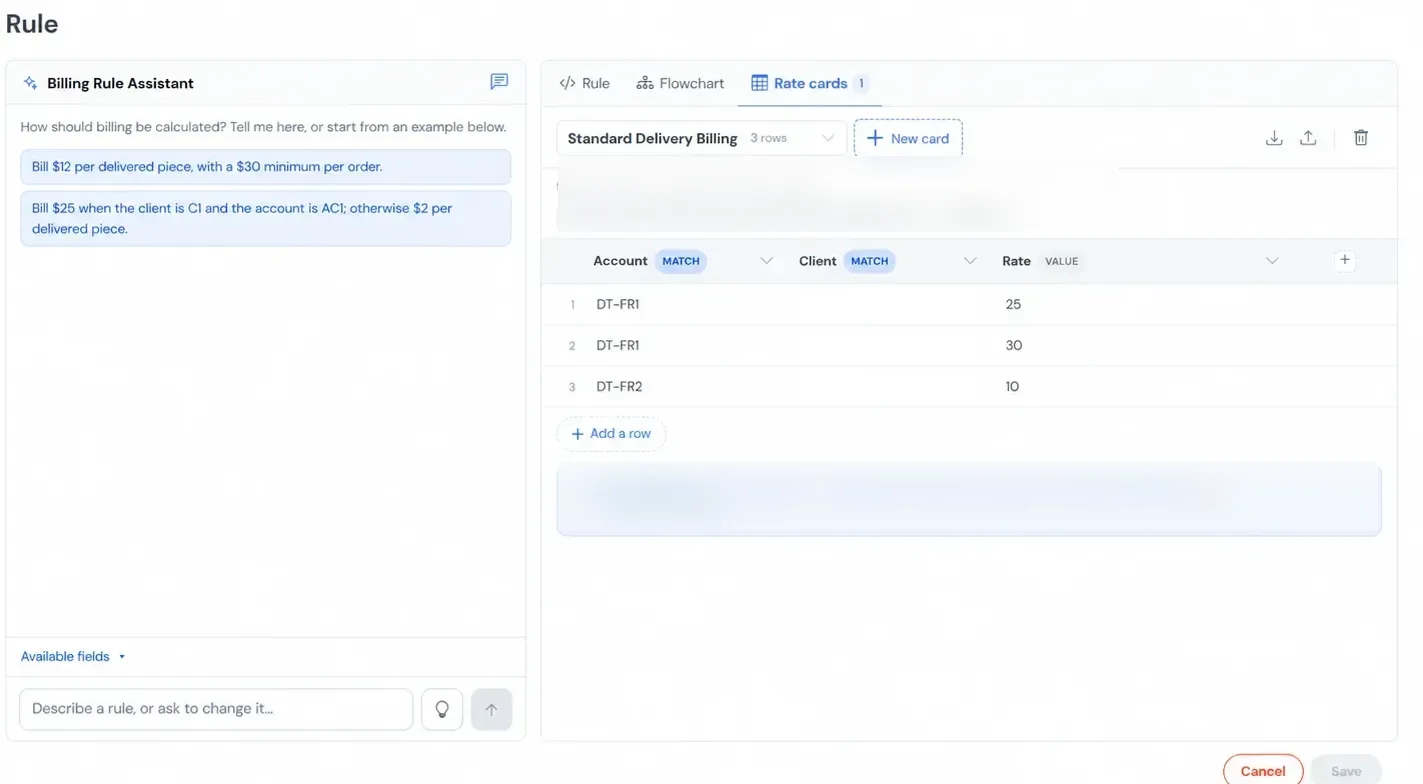
No-Code Rate Cards for Every Contract.
You input your rules in plain English. The system takes care of the rest.
- Natural language rulesWrite the contract the way it reads, “$45 per stop, $15 for each flight over two”; AI turns it into a calculation.
- Test and verifyTest a new rule against last month’s real deliveries before it touches an invoice or a settlement.
- Version controlled ratesChange a rate on the first of the month, and keep everything earlier billed under the old one.
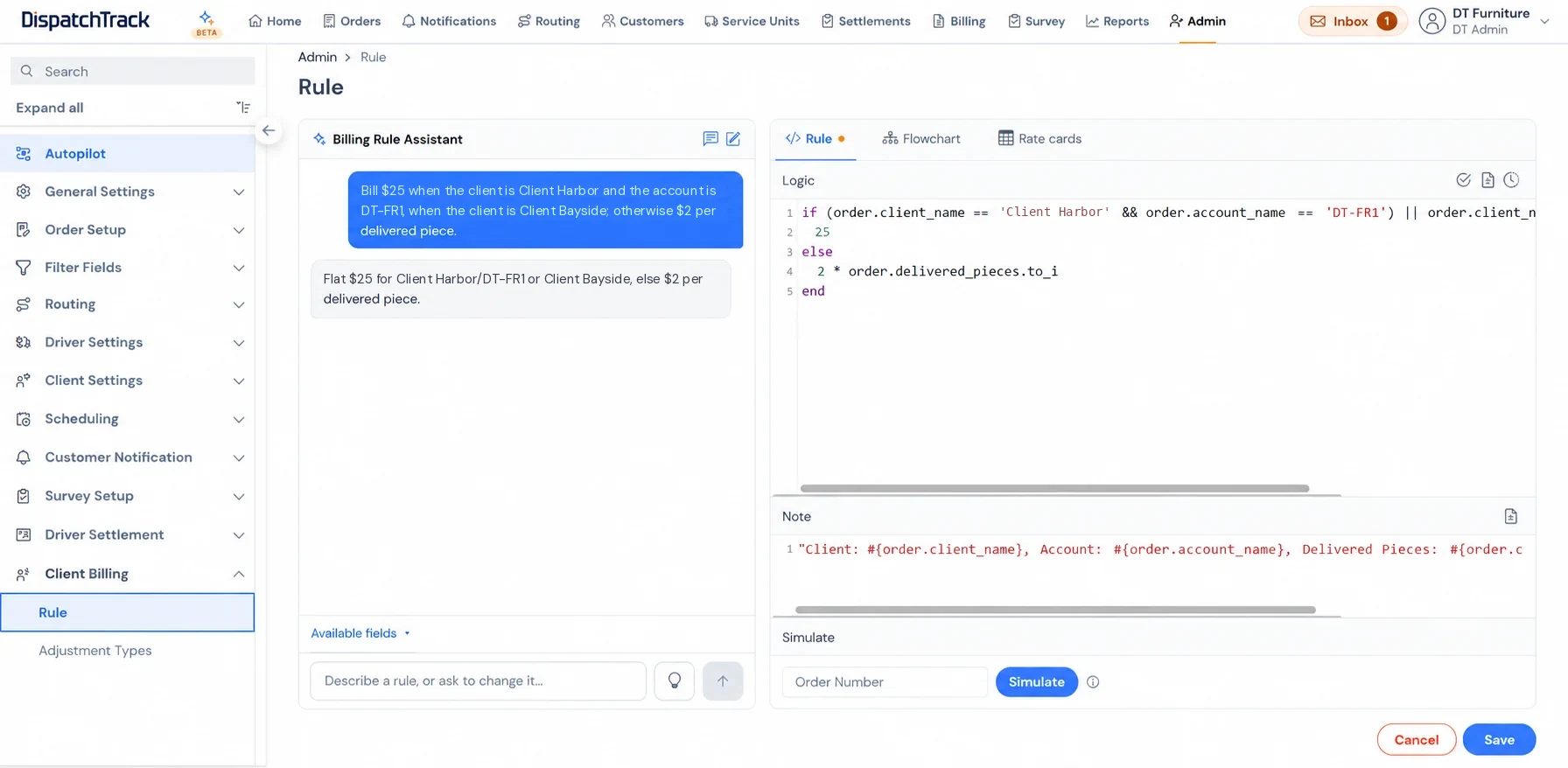
Every Contract, On Its Own Terms
Retailers, 3PLs, and drivers, each billed or settled the right way.
- By the order or by the routePay one carrier per stop and the next per route—in the same week—without extra effort.
- Accessorials and exceptionsEach contract’s own rules for stairs, haul-away, wait time, redeliveries, and not-at-homes.
- Both sides of the deliveryInvoice the client and settle the driver from the same stop, each by their own contract.
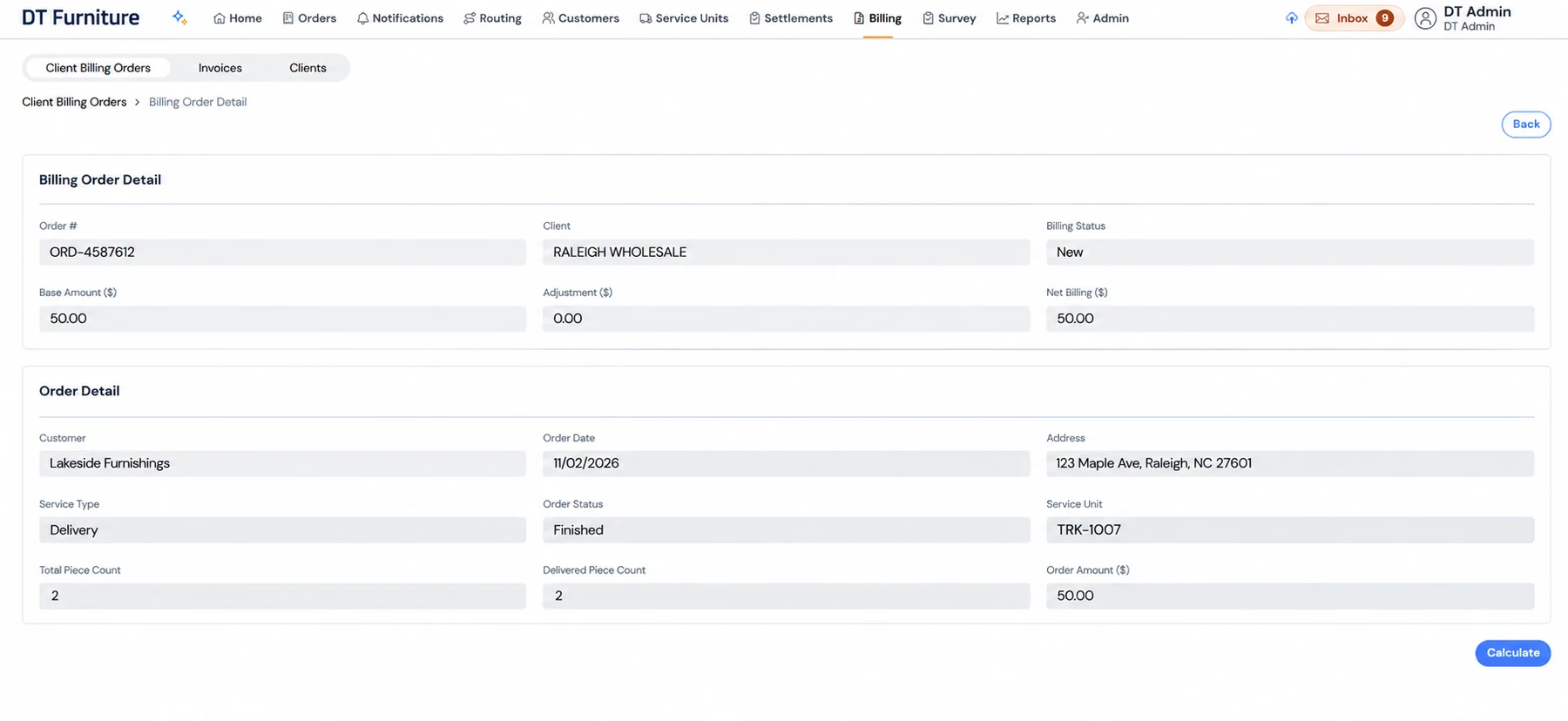
Billed From What Actually Happened
Full context, from the warehouse to the doorstep.
- WarehouseReceiving, storage, and handling come from warehouse activity.
- OrderItems, service level, and weight come from the order itself.
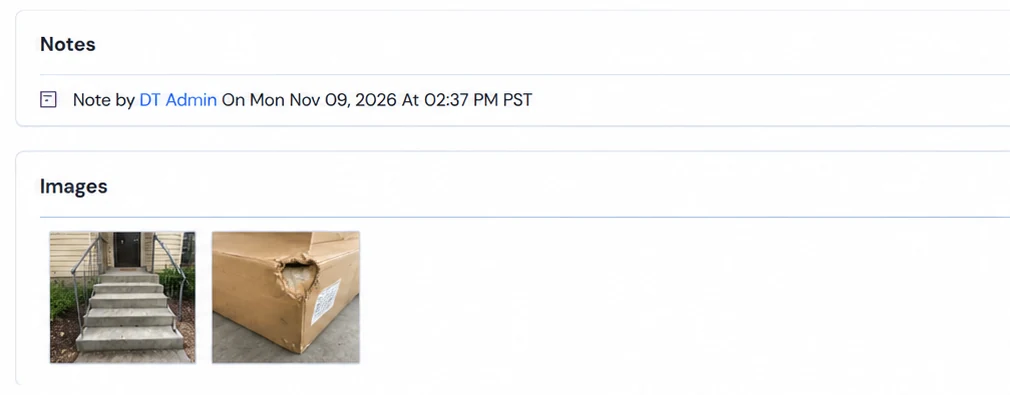
- FieldCompleted, not home, refused, or damaged comes from the driver’s proof of delivery, with photos and time stamps for verification.
Ready to Send When the Work Is Done
Invoices and settlement statements are generated as stops are completed.
- Calculated as routes unfoldCharges are generated as each delivery is completed, not once a month in a spreadsheet.
- Accessorials includedStairs, wait time, haul-away, redeliveries, and not-at-homes—each by its contract’s own rules.
- Adjust, send, syncAdjust any line by hand, send invoices and settlement statements, and sync them to your accounting system.
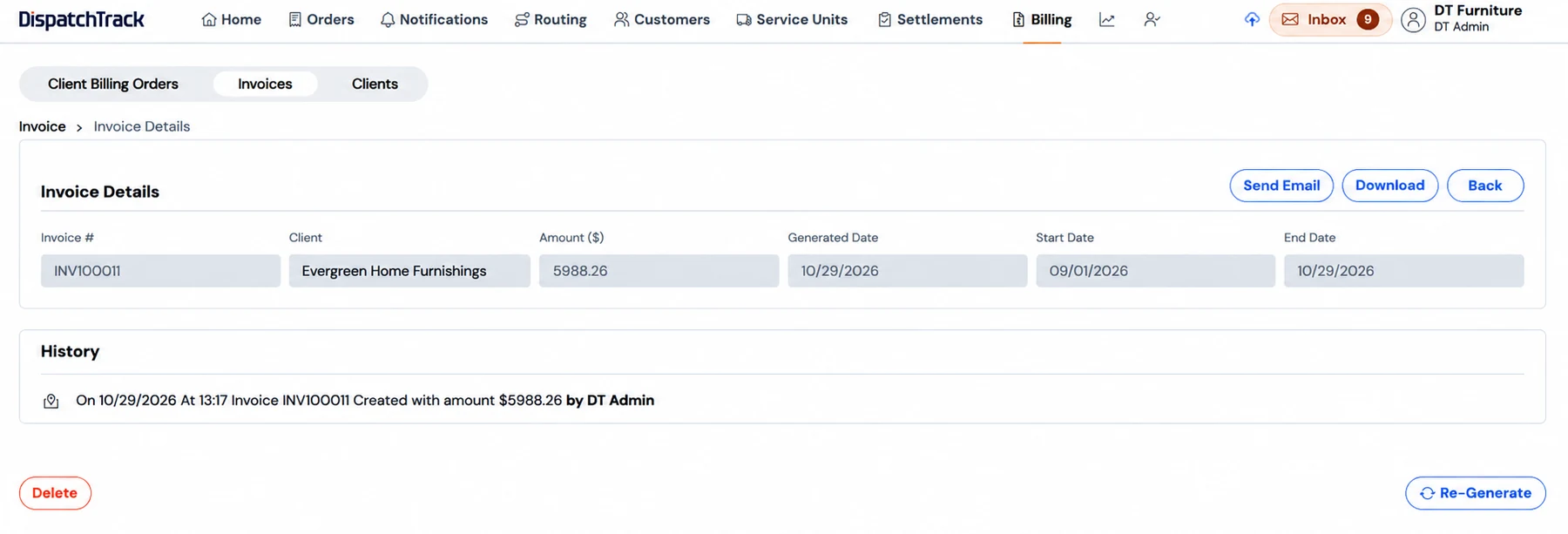
Audit Every Line. Adjust As Needed.
The calculations are automatic. The final say is yours.
- Line-level auditEvery charge shows the rule, the delivery, and the proof behind it.
- Adjustments and credit memosChange any line by hand, with who changed it and why on record.
- Portals for both sidesClients see their invoices beside their orders; drivers and carriers see their settlements and claims.

Delivery contracts are rarely standard: per order or per route, accessorials, not-at-home rules. Most finance teams keep them alive in spreadsheets.
More from our researchBuilt for every kind of delivery
Invoice each retailer by its own contract and settle each driver by theirs.
See howRetail & home deliverySettle every 3PL and contract team by its own agreement, based on the deliveries they actually made.
See howBuilding suppliesSend photo proof of delivery with the invoice, so payment comes without a lengthy dispute.
See howWhat teams ask about billing.
What is delivery billing and settlement software?
Software that calculates what to invoice clients and what to settle with drivers and carriers for each delivery, using each party’s own contract.
Can each retailer, 3PL, and driver have their own contract?
Yes. Each contract is written separately, per order or per route, with its own rates and its own rules for accessorials, not-at-homes, and redeliveries.
How does AI write billing rules?
You describe the contract in plain English and AI drafts the calculation. Your team reviews it, dry-runs it against real deliveries, and approves it before it’s used. AI never sends an invoice or settlement on its own.
When are invoices and settlements calculated?
As each delivery is completed, from the warehouse, order, and proof-of-delivery records, so they’re ready without a month-end close.
Can we change a charge by hand?
Yes. Any line can be adjusted or credited, and every change is recorded with who made it and why.
Does it connect to QuickBooks or our accounting system?
Yes. Invoices go to QuickBooks Online, and a finance API connects other accounting and ERP systems.
How do 3PLs handle billing and settlement for contracted carriers?
By settling each carrier under its own agreement, from the deliveries it actually made. In DispatchTrack, each carrier’s rates and rules are written once, per order or per route. Settlements are calculated as stops are completed, with accessorials and not-at-homes included, and every line can be audited and adjusted.
How do I reconcile delivery activity against invoices?
Bill from the delivery record itself. DispatchTrack calculates each invoice line from the warehouse, order, and proof-of-delivery data, such as storage days, stairs, and a time-stamped not-at-home photo, so every charge traces back to what happened.
Can DispatchTrack automate billing and driver settlement?
Yes. Describe each contract in plain English and AI drafts the rules; you test and approve them. DispatchTrack then calculates client invoices and driver and carrier settlements as stops are completed, including accessorials, not-at-homes, and redeliveries, and sends invoices to QuickBooks Online or your accounting system. Ferguson Enterprises runs driver and contractor settlement in DispatchTrack across a network of 600 3PLs.
How Long Did Last Month’s Deliveries Wait to Get Invoiced?
Show us your current process for invoicing clients and we’ll show you a faster, more accurate, and less frustrating way to manage them with DispatchTrack.